
Docly
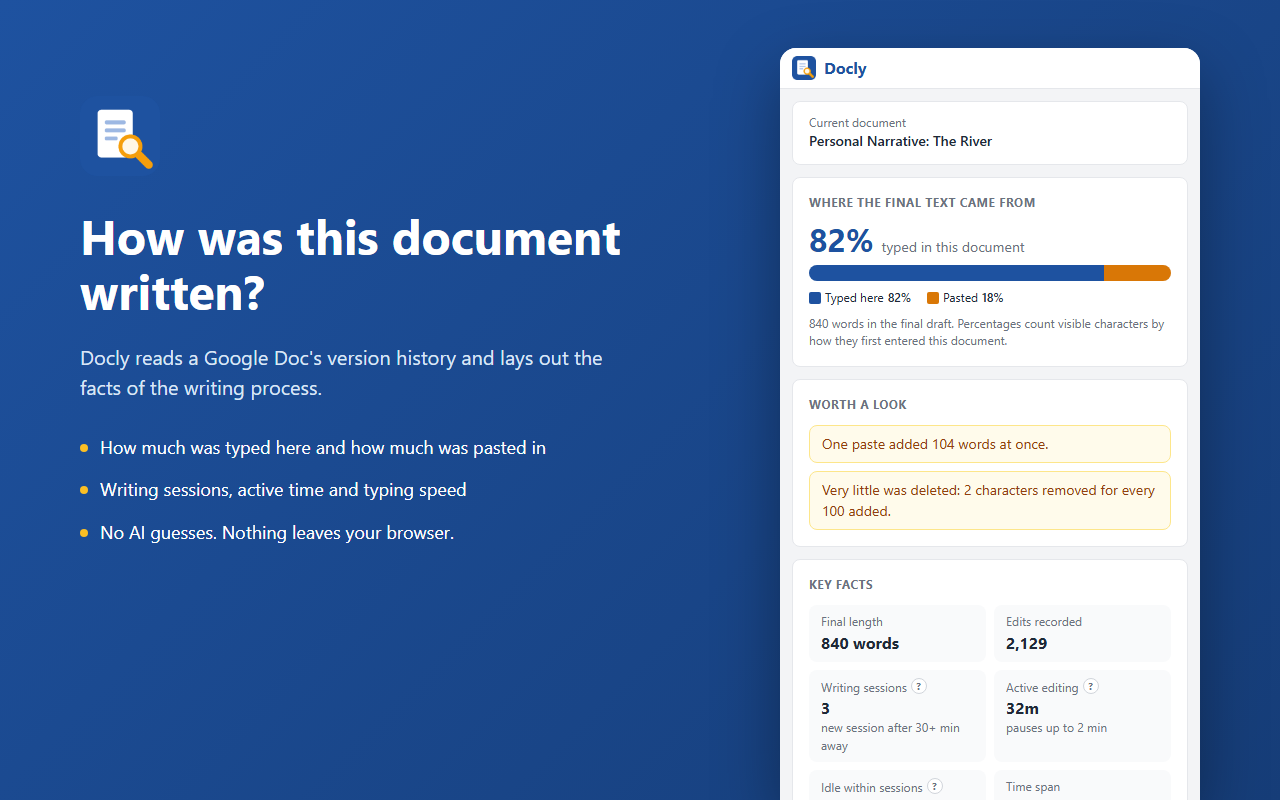
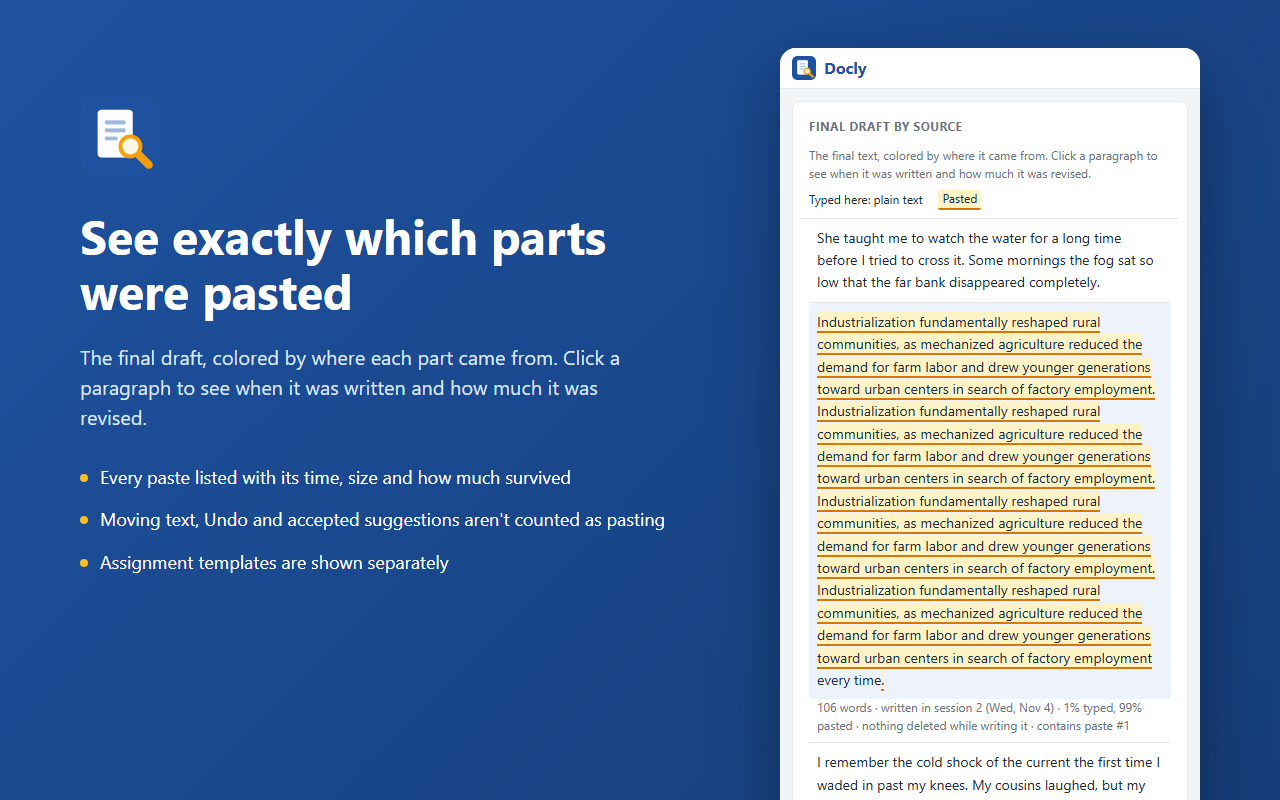
How was this Google Doc written? Docly is a Chrome extension for teachers that answers that question with facts from the document's own version history. It shows how much was typed in the document and how much was pasted in, when the work happened, how much it was revised and how the typing flowed.
What makes Docly different
- Facts, not verdicts. Docly doesn't guess whether a student used AI. It reports what happened in the document, so you can see the evidence for yourself and explain it to others.
- No AI. Every number comes from counting the document's edits. Nothing is scored by a model.
- Nothing leaves your browser. Docly reads the version history with your own Google sign-in and builds the fact sheet on your computer. It has no servers, no analytics and no advertising. Read the privacy policy.
Quick start
- Open a student's Google Doc that you can edit. Work turned in through Google Classroom works.
- Click the Docly icon in the Chrome toolbar. A side panel opens next to the document.
- Click Analyze writing process. A few seconds later you have the fact sheet. Click any ? for a short animation of what a term means.
Learn more
- Reading the fact sheet: what every card and number means.
- How Docly works: where the facts come from, and what Docly can't see.
- Using results fairly: how to look into a result and talk with a student about it.
- For IT and administrators: installing, permissions, updates and troubleshooting.